Can I Recover Crypto Sent to WEEX Using the Wrong Blockchain Network?

 Prefer us on Google


Introduction
A WEEX wrong network deposit can become a serious problem when cryptocurrency is successfully transferred on the blockchain but never appears in the receiving account. This often happens when users select an incompatible network, such as sending USDT through TRC20 while following deposit instructions intended for ERC20. Although the blockchain explorer may confirm that the transaction succeeded, the receiving exchange may be unable to recognize or credit the transferred assets.
Whether a WEEX wrong network deposit can be recovered depends on the blockchain used, the cryptocurrency transferred, the destination address, and the exchange's supported deposit infrastructure. Unlike a delayed transaction caused by network congestion, an unsupported-network transfer cannot simply be corrected by waiting for additional confirmations. WEEX's official guidance warns that assets deposited through unsupported networks or methods may be permanently unrecoverable.
For users experiencing a WEEX wrong network deposit, the priority is to verify the transaction details, identify the exact network mismatch, and determine whether official support can provide further clarification. This article explains why wrong-network deposits occur, how recovery possibilities differ across scenarios, and what users should do to protect their assets from further loss.
Can WEEX Recover Crypto Deposited Through the Wrong Network?
The short answer is that recovery is not guaranteed, and deposits made through unsupported networks may be permanently lost.
According to the official WEEX Wrong Network Deposit Guide, cryptocurrency sent through unsupported deposit methods or unsupported blockchain networks cannot be recovered under its published guidance. The platform also emphasizes that users are responsible for verifying the correct cryptocurrency, blockchain network, and receiving address before initiating a transfer.
A successful transaction on a blockchain explorer does not change these restrictions. Blockchain confirmation only demonstrates that a transfer was executed on the selected network. It does not establish that the receiving exchange supports the transferred asset or can access the destination address on that network.
However, users should distinguish a confirmed unsupported-network transfer from a transaction that was never broadcast, a deposit awaiting confirmations, or a transfer missing a required Memo or Tag. These problems can produce similar symptoms but have different causes and possible resolutions. WEEX support can help clarify the situation using the original transaction records, although submitting an inquiry does not guarantee recovery.
Common Wrong-Network Deposit Scenarios
| Deposit Scenario | Potential Outcome | Recommended Action |
|---|---|---|
| USDT sent via TRC20 to deposit instructions intended for ERC20 | Network mismatch; deposit may not be credited | Verify the actual chain and contact support |
| Token sent through a network unsupported by WEEX for that asset | Funds may be permanently unrecoverable | Check the official unsupported-network policy |
| Transfer sent to an incorrect deposit address | Funds may be lost if the destination is inaccessible | Verify address ownership and transaction details |
| Correct asset and network, but insufficient confirmations | Deposit may still be processing | Monitor confirmations and deposit history |
| Correct address and network, but required Memo or Tag missing | Automatic crediting may fail | Request an official deposit review |
| Deposit below the minimum required amount | Deposit may not be credited | Check the asset-specific minimum and support guidance |
Source: WEEX official documentation, including its Wrong Network Deposit Guide, Delayed Deposit Troubleshooting Guide, and Memo/Tag Deposit Guidance. The outcomes above describe possible scenarios rather than guaranteed recovery decisions.
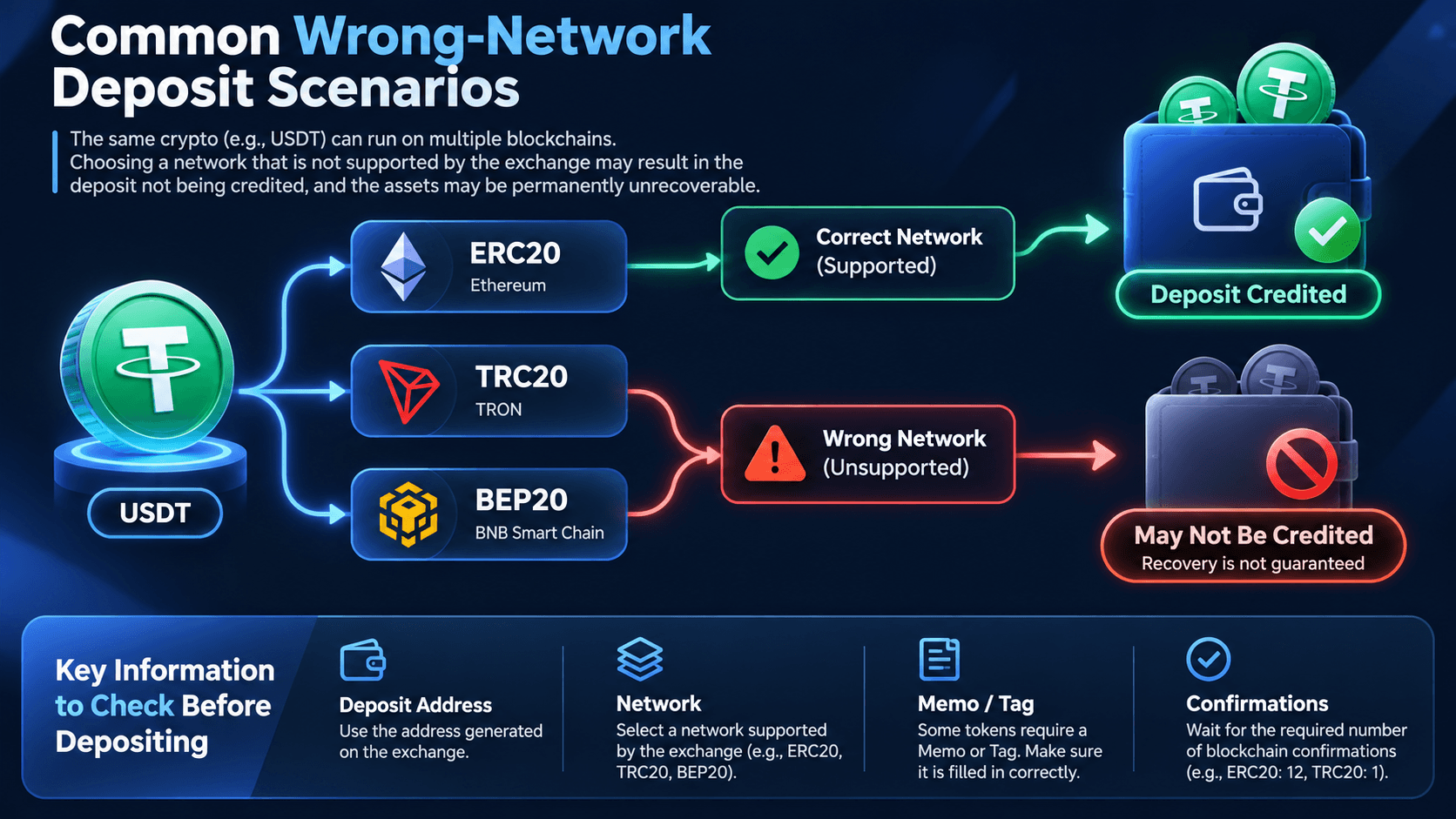
The most important distinction is whether the blockchain network was supported for the specific cryptocurrency and deposit instructions used. Even if a token is available on multiple blockchains, that does not mean every version can be transferred to the same exchange address.
Why Do Wrong Blockchain Network Deposits Happen?
1. The Same Cryptocurrency Exists on Multiple Networks
Many digital assets are issued or represented across several blockchain ecosystems. USDT, for example, can be transferred through Ethereum, TRON, and other supported networks. Each blockchain has its own transaction infrastructure and token standards, even when the asset displays the same trading symbol.
ERC20 refers to tokens operating on Ethereum-compatible standards, while TRC20 refers to tokens issued on the TRON blockchain. BEP20 is commonly associated with BNB Smart Chain. These network labels describe how transfers are processed, not interchangeable versions of a single deposit route.
For instance, a user intending to deposit USDT on Ethereum may accidentally select TRC20 in the sending wallet. The transfer could be confirmed on TRON without appearing in the intended WEEX account. The underlying issue is not necessarily a failed blockchain transaction, but an incompatibility between the network actually used and the receiving instructions.
2. Similar Wallet Address Formats Can Be Misleading
Some blockchain networks use wallet addresses with similar formats, particularly Ethereum-compatible networks that commonly display addresses beginning with "0x". This similarity can create the impression that an address supports transfers across multiple chains.
However, matching address formats do not establish that WEEX supports the selected cryptocurrency on every network sharing that format. Exchange deposit infrastructure, wallet access, token contract recognition, and supported network configurations may differ.
Users should never assume that an address copied from an ERC20 deposit page can safely receive assets through another Ethereum-compatible network. The network must be explicitly supported for the selected asset on the receiving platform.
3. The Sending and Receiving Platforms Support Different Networks
A cryptocurrency may be available for withdrawal through several networks on one exchange while another exchange supports only a subset of those networks for deposits.
For example, a sending platform might offer an alternative USDT network because of its transaction fees or processing speed. If the user selects that network without checking WEEX's corresponding deposit options, the resulting transaction may not be recognized correctly.
The official WEEX Deposit and Withdrawal Guide explains why users must match the token and network on both sides of the transaction. Available networks and minimum deposit amounts can change, making the current deposit interface the authoritative reference before each transfer.
-- Price
What Should You Do After Sending Crypto to WEEX on the Wrong Network?
If you have already submitted the transfer, avoid attempting another transaction to repair the mistake. Begin by checking whether the funds were actually sent on-chain and whether the problem is a confirmed network mismatch.
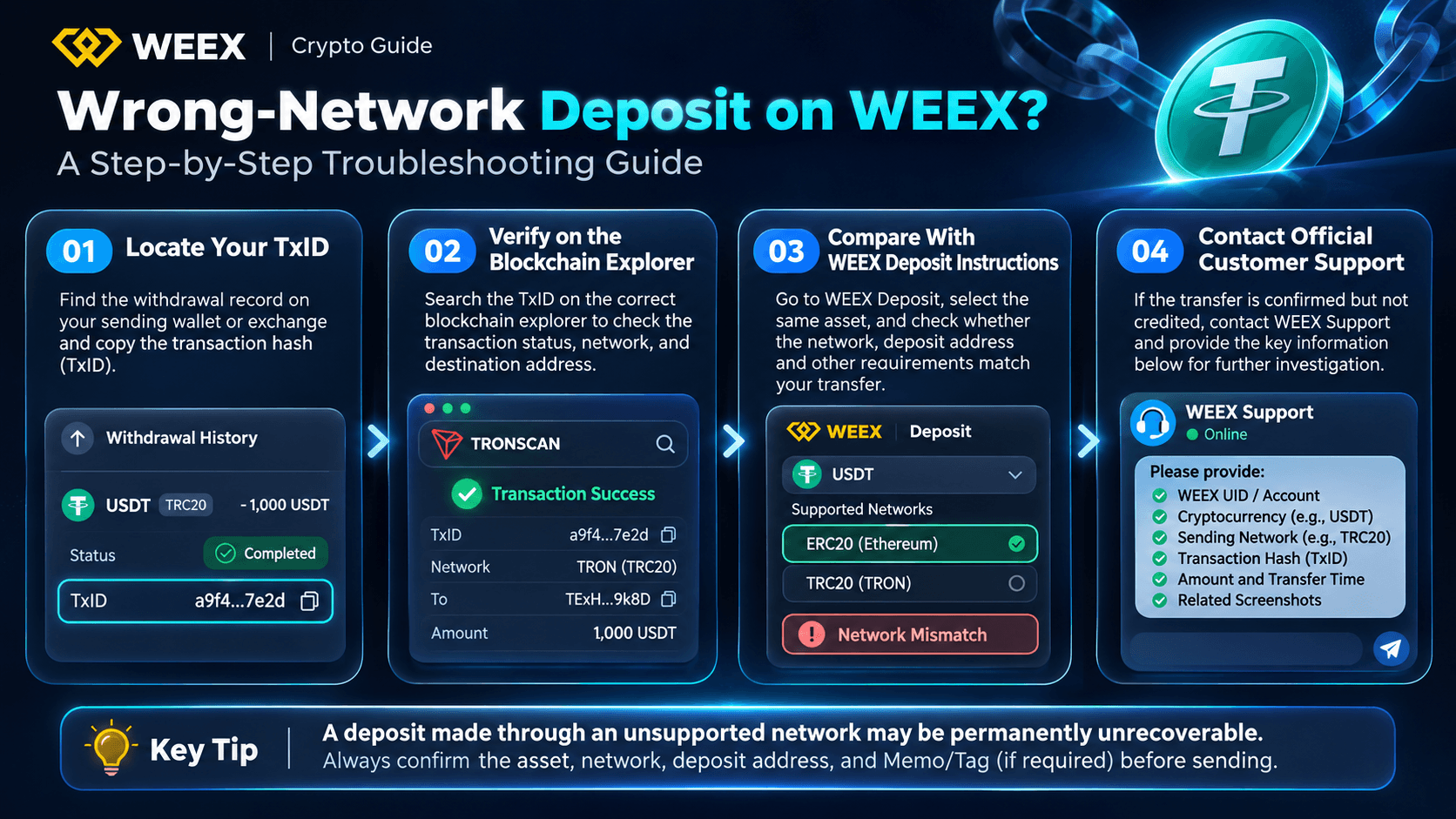
Step 1: Locate the Transaction Hash (TxID)
Open the wallet or exchange used to initiate the transfer and find the corresponding withdrawal record. Look for the transaction hash, often labeled TxID, Transaction ID, or Transaction Hash.
The TxID allows users to identify the exact blockchain transaction. If the sending platform shows the transfer as pending without an on-chain hash, the transaction may still be undergoing withdrawal processing. In that situation, contacting the sending platform may be more appropriate than submitting a wrong-network deposit recovery inquiry.
If a TxID is available, record the cryptocurrency, transferred amount, selected network, sending address, destination address, and transfer time. These details form the basis of any further investigation.
Step 2: Verify the Transaction on the Correct Blockchain Explorer
Search for the TxID using a blockchain explorer that corresponds to the network actually selected during the transfer.
Source: Official blockchain explorer websites. The explorer must match the actual sending network.
A transaction marked successful indicates that the selected blockchain processed the transfer. It does not mean that WEEX received or credited the assets to the intended account. If the transaction cannot be found, users should first confirm that they are searching the correct network using the complete hash.
Step 3: Compare the Transfer Against WEEX Deposit Instructions
Log in to WEEX through the official website or app, navigate to the cryptocurrency deposit page, and select the asset involved in the transfer. Review the supported networks and compare the relevant deposit instructions with the original withdrawal record.
The comparison should establish whether the exact cryptocurrency was selected, whether the blockchain network matched, whether the destination address was correct, and whether a Memo or Tag was required. Users should also check the applicable minimum deposit amount.
An unsupported network is not the same issue as insufficient confirmations. If the transfer was made on an incompatible chain, waiting for additional confirmations will not automatically convert it into a valid deposit.
Step 4: Contact Official WEEX Customer Support
If the transfer has been confirmed but the funds have not appeared in the account, contact WEEX through the official website or app. Explain that the cryptocurrency may have been transferred using an incorrect or unsupported blockchain network.
Prepare the following details so the support team can identify the transaction.
| Information | Details to Provide |
|---|---|
| Account information | WEEX UID or identifier requested by support |
| Cryptocurrency | Exact token name and symbol |
| Sending network | Blockchain actually used for the transfer |
| Intended network | Network specified in the original WEEX deposit instructions |
| Transaction hash | Complete TxID |
| Deposit address | Destination address recorded on-chain |
| Amount and date | Actual transferred amount and approximate transfer time |
| Supporting evidence | Sending history, explorer record, and relevant screenshots |
Support can use this information to help determine whether the transfer was an unsupported-network deposit, a different deposit error, or a transaction still awaiting normal processing. Users should not interpret the creation of a support ticket as confirmation that the transferred assets can be recovered.
For related troubleshooting instructions, see What Should I Do If My Deposit Is Delayed on WEEX?.
What Is the Difference Between a Wrong-Network Deposit and a Missing Memo or Tag?
A wrong-network deposit occurs when the transferred cryptocurrency travels through a blockchain that does not match the receiving instructions. A missing Memo or Tag, by comparison, usually involves an additional account identifier required for certain cryptocurrency deposits.
For some assets, exchanges use a shared receiving address combined with an identifier that helps assign incoming funds to individual accounts. If the identifier is omitted or entered incorrectly, the transaction may succeed on the correct blockchain without being credited automatically.
These situations require different investigations. A missing Memo or Tag may be eligible for a manual review under applicable support procedures, while a transfer through an unsupported network may be permanently unrecoverable.
WEEX explains these differences in its Missing Memo or Tag Deposit Guide. Users who made more than one mistake should report every discrepancy rather than describing the transaction as a simple deposit delay.
Can You Recover Wrong-Network Crypto Using a Wallet or Blockchain Bridge?
Some self-custody wallet users may be able to locate assets transferred on an unexpected compatible network, provided they control the relevant destination wallet and the tokens are accessible on that chain. In those circumstances, the wallet provider's supported-network features or an appropriate cross-chain service may offer a way to move the assets.
However, this possibility does not automatically apply to centralized exchange deposit addresses. When cryptocurrency is sent to a WEEX deposit address, users generally do not control the exchange-managed private keys or the receiving infrastructure. They cannot independently move assets held at an address controlled by the exchange merely by connecting a different wallet application.
A blockchain bridge also does not reverse an already confirmed transfer or grant access to an exchange-controlled destination address. Users should be cautious of websites or individuals claiming they can automatically recover an unsupported WEEX deposit for an upfront payment.
Never disclose private keys, wallet recovery phrases, passwords, or authentication codes to someone offering cryptocurrency recovery services. Any legitimate account investigation should take place through verified official support channels.
How to Avoid Losing Crypto Through the Wrong Network
Preventing a wrong-network deposit is considerably more reliable than attempting recovery after the transaction has been confirmed. Users should verify each transfer independently, even when they have successfully deposited the same cryptocurrency before.
First, select the exact cryptocurrency and supported network in the current WEEX deposit interface. Then select the matching network in the sending wallet or exchange. Confirm that the copied destination address matches the receiving instructions and that any required Memo or Tag has been included correctly.
For larger transfers or unfamiliar networks, consider sending a small test transaction that meets the minimum deposit requirement. Wait until the test deposit is successfully credited before transferring the remaining amount. This creates an opportunity to identify an incorrect network selection without exposing the entire intended transfer.
Users should also avoid relying on screenshots of old deposit instructions or previously saved wallet addresses. Network support, deposit requirements, and address assignments can change. Obtaining fresh instructions directly from WEEX helps reduce preventable errors.
How to Deposit and Trade Crypto Safely on WEEX
To deposit cryptocurrency correctly, log in to WEEX and navigate to Assets > Deposit > On-chain Deposit, subject to the interface available on your device. Select the intended asset, choose a blockchain network explicitly supported for that asset, and copy the generated deposit address. On the sending platform, select the same cryptocurrency and compatible network, verify the destination details, and review the transfer before confirmation.
After the transfer, save the TxID and monitor the blockchain status and WEEX deposit history. Do not assume that a successful on-chain status means the exchange has completed crediting. Once the funds are credited, check the appropriate account balance before initiating any trading activity.
Users interested in spot trading can access the WEEX BTC/USDT Spot Trading page and review the available trading pairs, order types, and associated fees. Spot trading involves exchanging supported cryptocurrencies without the leveraged exposure associated with perpetual futures.
For users who understand derivatives and their risks, the WEEX BTC/USDT Futures Trading page provides access to perpetual contract trading where available. Futures trading involves leverage, margin requirements, funding costs, and liquidation risks. Any trading decision should be made independently of unresolved deposit issues, and users should verify that their assets have been successfully credited before placing orders.
Conclusion
A cryptocurrency transfer sent through the wrong blockchain network can be confirmed on-chain without appearing in a WEEX account. Whether the deposit can be recovered depends on the exact asset, network, destination address, and applicable platform support rules. WEEX's published guidance warns that unsupported-network deposits may be permanently unrecoverable, making recovery an uncertain outcome rather than a standard service.
Users should verify the original TxID, identify the actual sending network, compare the transfer with the intended deposit instructions, and contact official support if additional clarification is needed. The safest approach is to prevent network mismatches before sending funds by confirming the asset, network, address, Memo or Tag, and minimum deposit amount for every transfer.
FAQ
1. Can WEEX recover USDT sent through the wrong blockchain network?
Recovery is not guaranteed. If USDT was sent through a network unsupported by WEEX for the intended deposit, the funds may be permanently unrecoverable under the platform's published guidance. Users should verify the actual sending network and transaction hash, then contact official WEEX support to clarify their specific situation.
2. What happens if I send TRC20 USDT to an ERC20 deposit address on WEEX?
TRC20 and ERC20 operate on different blockchain networks. A transaction sent through TRON does not automatically become an Ethereum transaction, even though both assets may be labeled USDT. If the receiving instructions do not support the actual transfer route, the funds may not be credited and recovery cannot be guaranteed.
3. Can a blockchain explorer help recover crypto sent to the wrong network?
A blockchain explorer cannot reverse or recover cryptocurrency transfers. However, it can provide essential evidence, including the transaction hash, sending network, destination address, transferred amount, and transaction status. These details help users identify the mistake and provide accurate information to official customer support.
4. How long does WEEX take to recover a wrong-network deposit?
WEEX does not provide a universal recovery timeline for unsupported-network deposits, and its published policy warns that certain transfers cannot be recovered. Users should not interpret a pending investigation as confirmation that recovery is possible. Any case-specific assessment, if available, depends on the actual transaction details and applicable support procedures.
5. Can I use a crypto bridge to fix a wrong-network WEEX deposit?
A cross-chain bridge cannot reverse a completed deposit or independently retrieve tokens from an exchange-controlled address. Bridging may be possible for assets held in a compatible self-custody wallet that the user controls, but this does not establish access to cryptocurrency sent to WEEX through an unsupported network. Users should seek clarification from official support and avoid unverified recovery services.
This content is provided for general informational purposes only and doesn't constitute financial, investment, legal, or tax advice. Any events, rewards, online promotions, or related information mentioned herein should not be considered a recommendation, solicitation, or invitation to purchase, sell, trade, or otherwise deal in any crypto assets. Crypto assets are highly volatile and may result in loss. The availability of WEEX services, products, and related events may vary by region. You are responsible for ensuring that your participation is in accordance with applicable local laws and regulations.
You may also like

Who Is David Ellison? Skydance’s Strategy, Media Consolidation, and the Investment Case
How to Get a Crypto Wallet: Pick, Set Up, and Fund It Safely
MSTR Stock Trades Below Its Bitcoin. Here's the Catch

What Is 0x Protocol and How Does It Work?
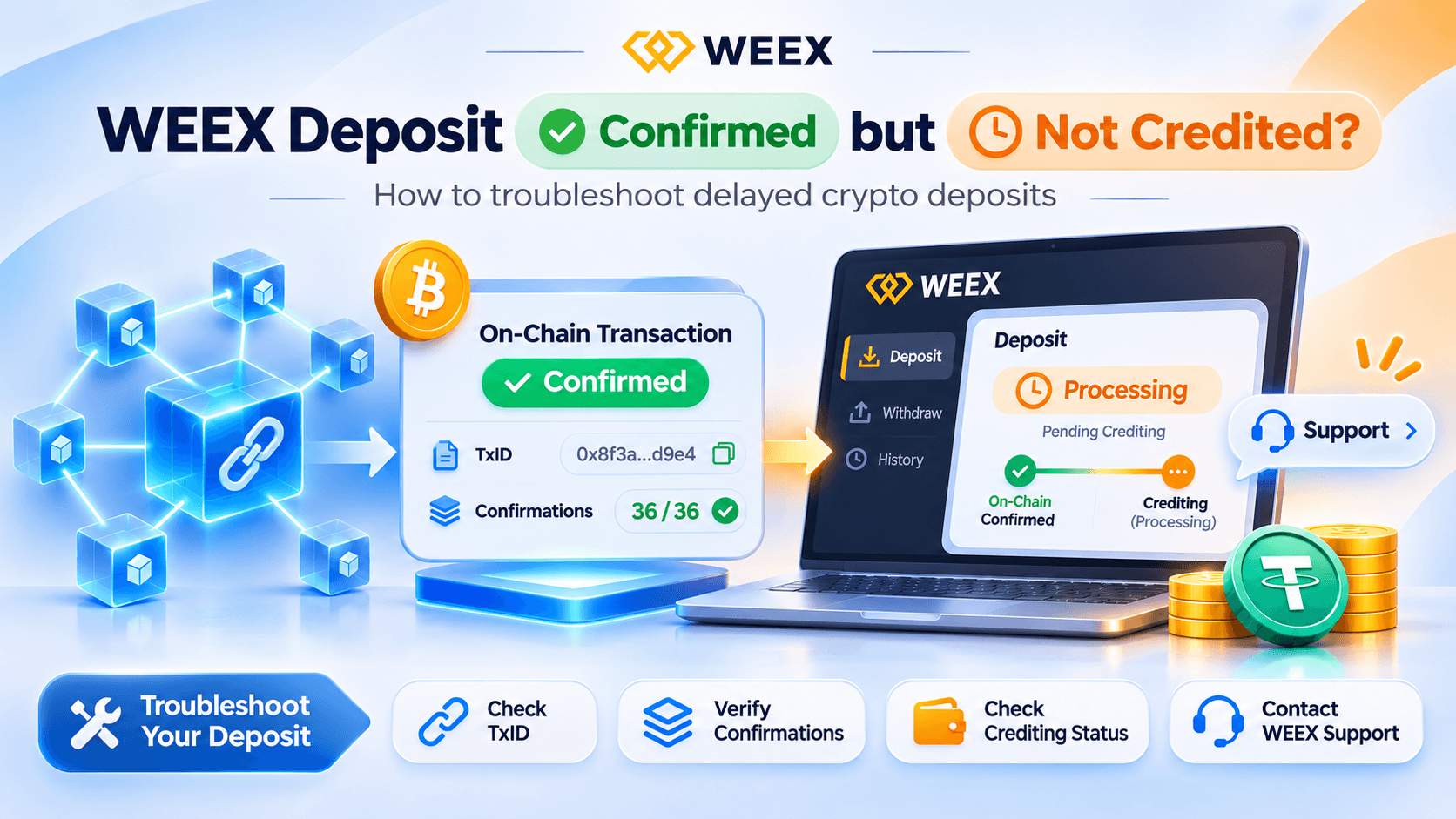
Why Is My WEEX Deposit Confirmed but Not Credited?

NYSE Picks Avalanche for Tokenized Stocks: Will AVAX Benefit?
PROJECT CORTEX (XTX) Price: Why a 15.8M% Gain and a $6 Billion Market Cap Are Hard to Trust

USOE Price Drop: Why Did United States Oil Exchange Fall Over 90% in a Week?
NYSE-Linked Avalanche Settlement News: Why AVAX Is Up and What It Does Not Prove
Copy Trading Platforms With Verified Performance: Spot the Fakes
Top 10 Crypto Derivatives Exchanges Worldwide by Open Interest
Beginner Futures Exchanges With Low Entry: What $50 Really Buys
Tesla Cybertruck Refunds: What the Line Shutdown Means for TSLA
User-Friendly Crypto Copy Trading Platforms: 6 Picks Compared
WEEX Review: The Latest Fees, Features, Security and Trading Experience
What Does It Mean to Stake Crypto? Staking on WEEX Explained
Keplr Wallet Security Alert: Is Your ATOM Safe?

NVIDIA Board Opens Probe: What's Next for NVDA?
Midterm Elections Crypto Fallout: $170M Spent, Key Races Lost
Jensen Huang Affair Rumors: What the Alice Huang Report Says

USOR Token Price: Why the Oil Meme Coin Is Down 99% From Its Peak
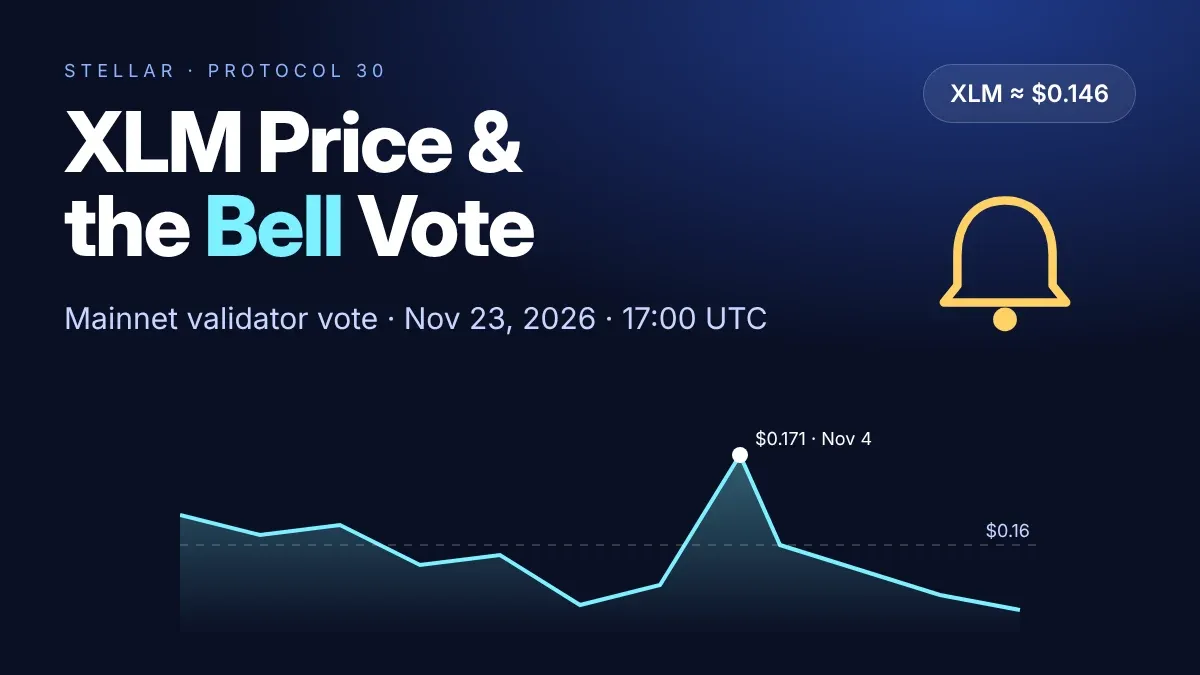
XLM Token Price Today: Why Stellar's Nov. 23 Bell Vote Matters
FreeBitco.in Shutdown: Frozen Withdrawals and What Users Can Do
How to Stake Solana: Exchange vs Wallet, Rewards and Unstaking
INJ Staking ETF Goes Live: Can 90% Staking Drive Demand?

SNDK Crashes 22%: Is the AI Storage Boom Losing Steam?

Circle Revenue Hits $865M, But Can CRCL Sustain Growth?
Is GM on BSC a CZ Token? What Is Confirmed and What Is Not

What Is GM on BSC? GREEN MORNING Jumps Over 400% on a Reported Musk–CZ Meme Moment
Polygon Proposes Hard Fork to Recover 70.49M POL
Who Is David Ellison? Skydance’s Strategy, Media Consolidation, and the Investment Case
How to Get a Crypto Wallet: Pick, Set Up, and Fund It Safely
MSTR Stock Trades Below Its Bitcoin. Here's the Catch
What Is 0x Protocol and How Does It Work?
Why Is My WEEX Deposit Confirmed but Not Credited?
NYSE Picks Avalanche for Tokenized Stocks: Will AVAX Benefit?
Contents
Popular coins
Latest articles